
Septum — Screenshots
A visual tour of every Septum screen — the setup wizard, chat approval flow, document preview with entity highlights, settings tabs, custom regulation rules, and the audit trail.
For high-level explanations see the main README; for deep feature and API references see the Features doc.
Setup Wizard
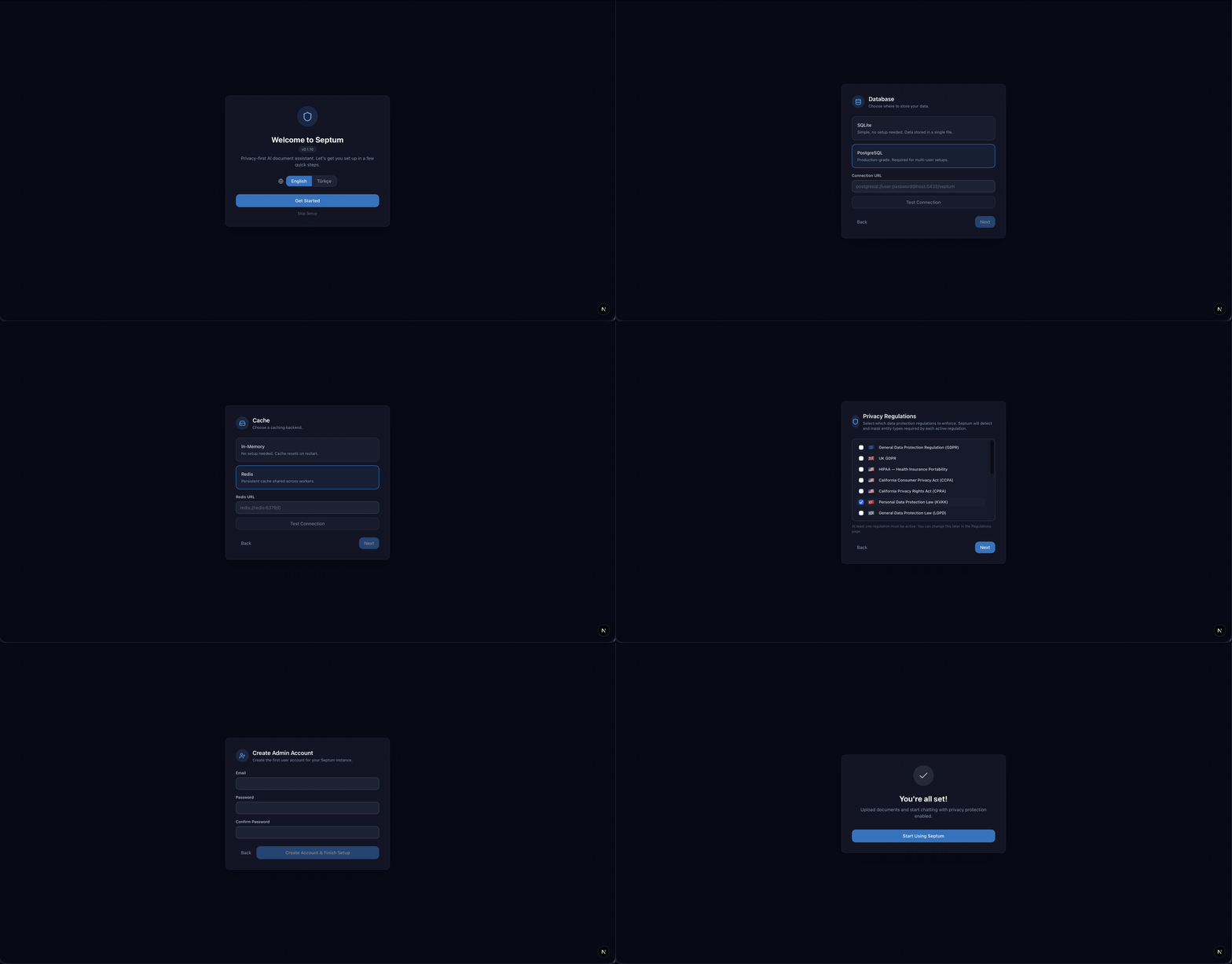
Pick your database (SQLite or PostgreSQL), cache (in-memory or Redis), LLM provider (Anthropic, OpenAI, OpenRouter, or local Ollama), privacy regulations, and audio transcription model — all from the wizard.
Approval Gate — See exactly what leaves your machine
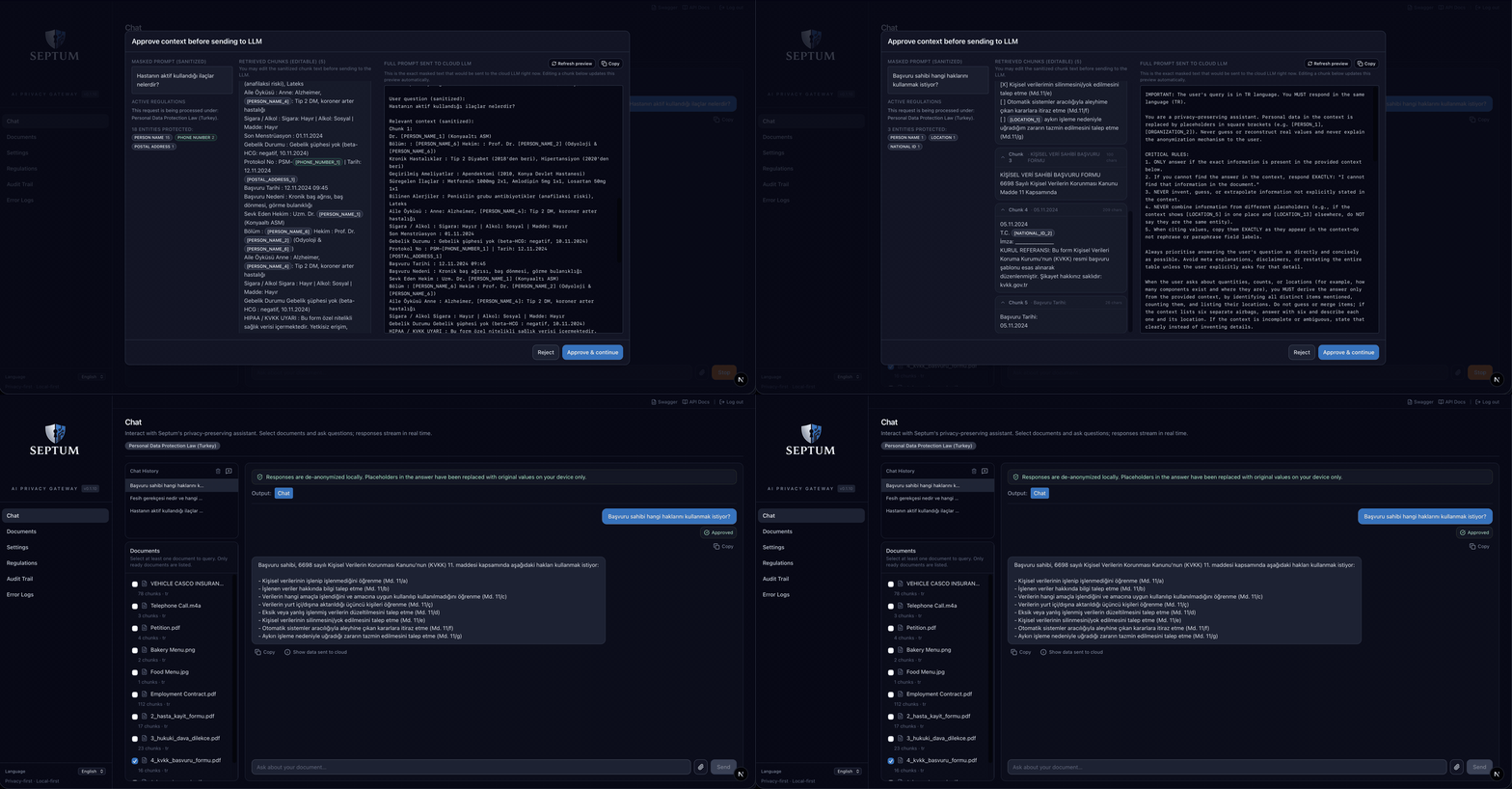
Before every LLM call, Septum shows three side-by-side panes: the masked prompt you typed, the retrieved document chunks (editable), and the full assembled prompt that will actually be sent to the cloud. Approve it and the answer comes back with real values restored — locally, never in the cloud.
Document Preview with entity highlights
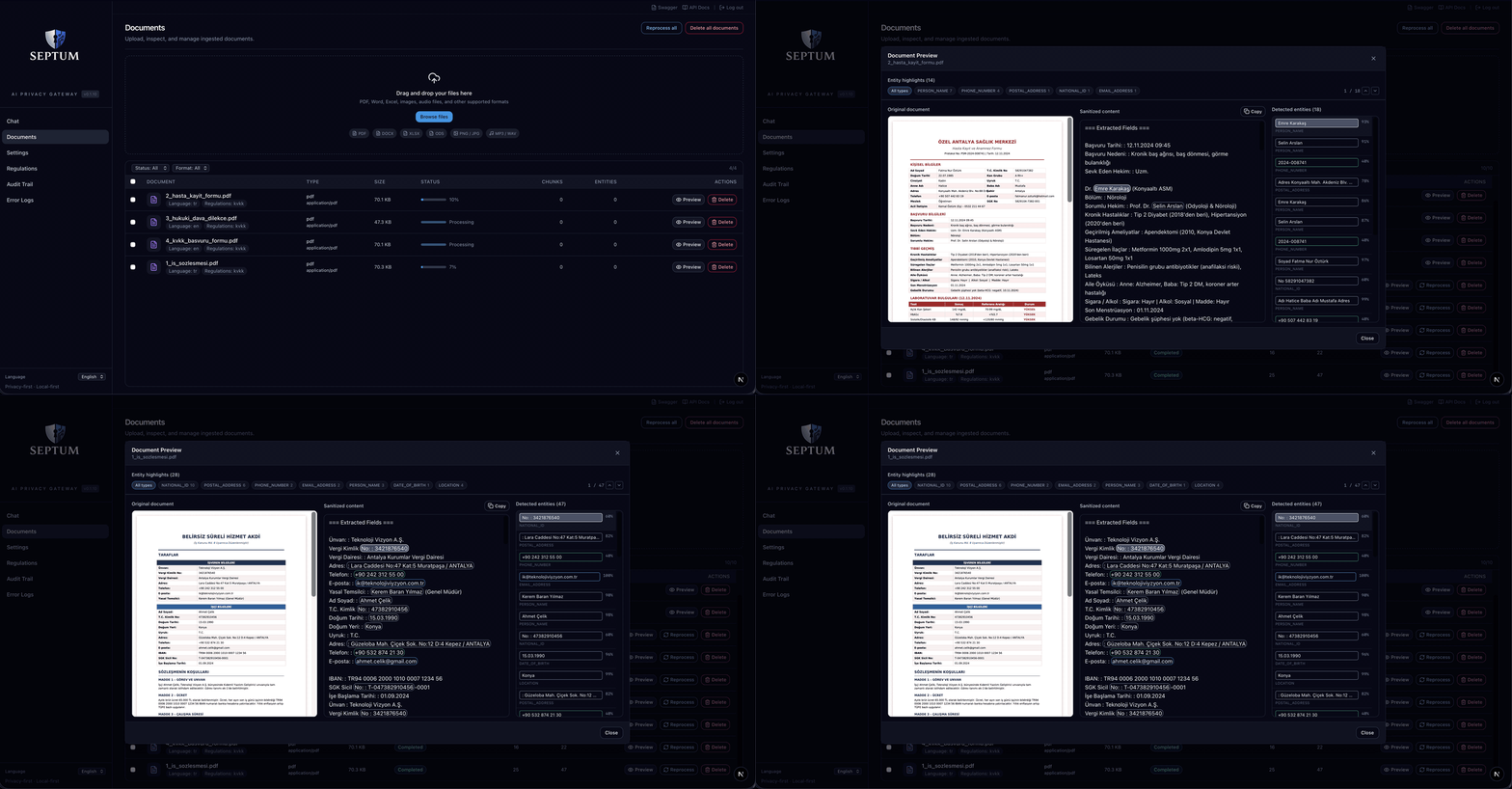
Every detected entity — names, addresses, dates of birth, phone numbers, medical diagnoses, IDs — is highlighted inline on the original document with a colour coded by entity type. Click any entity to jump to its location; the side panel lists every match with its score and placeholder.
Settings — the 5-tab tour
LLM Provider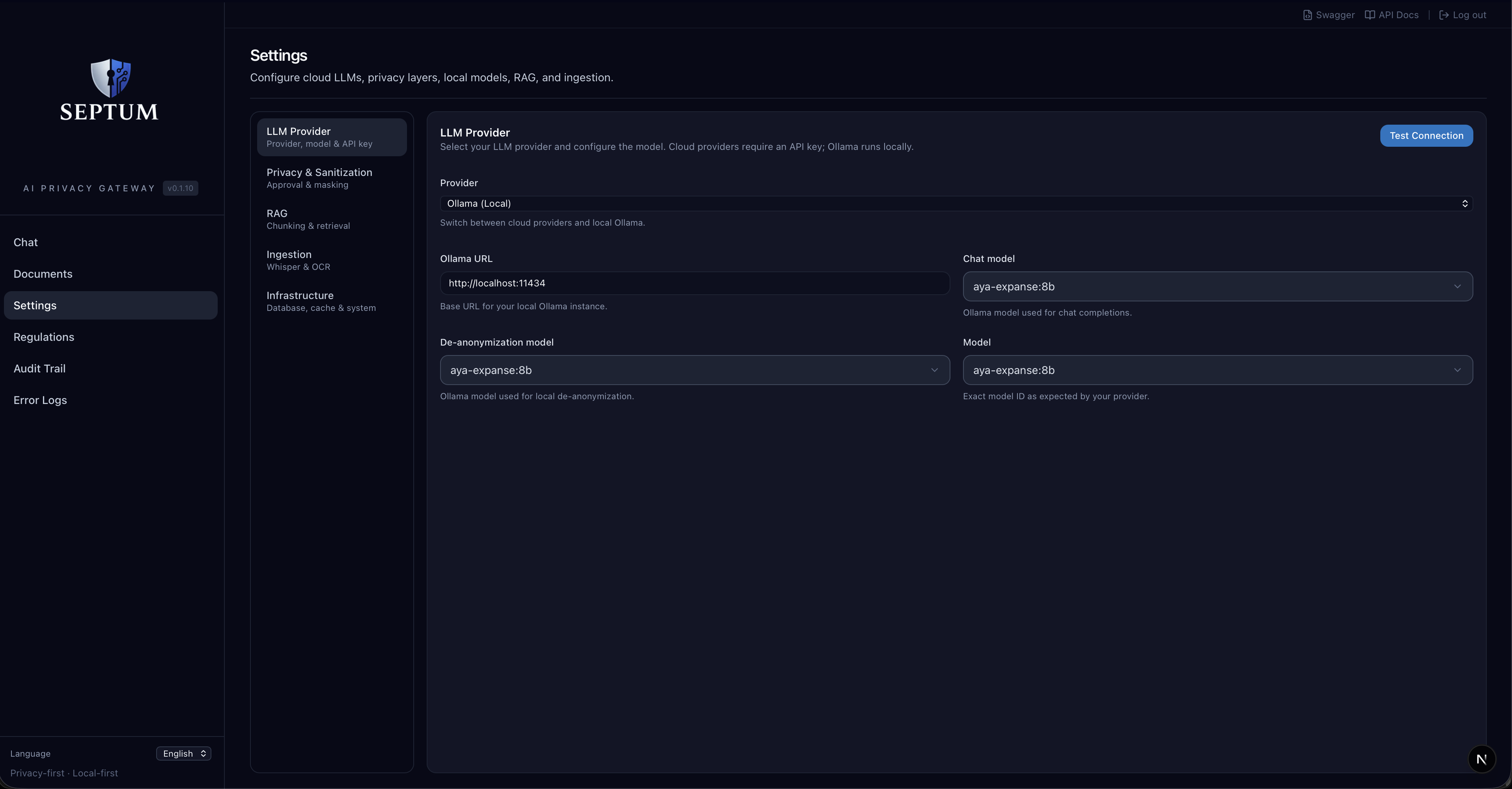 | Privacy & Sanitization — 3-layer pipeline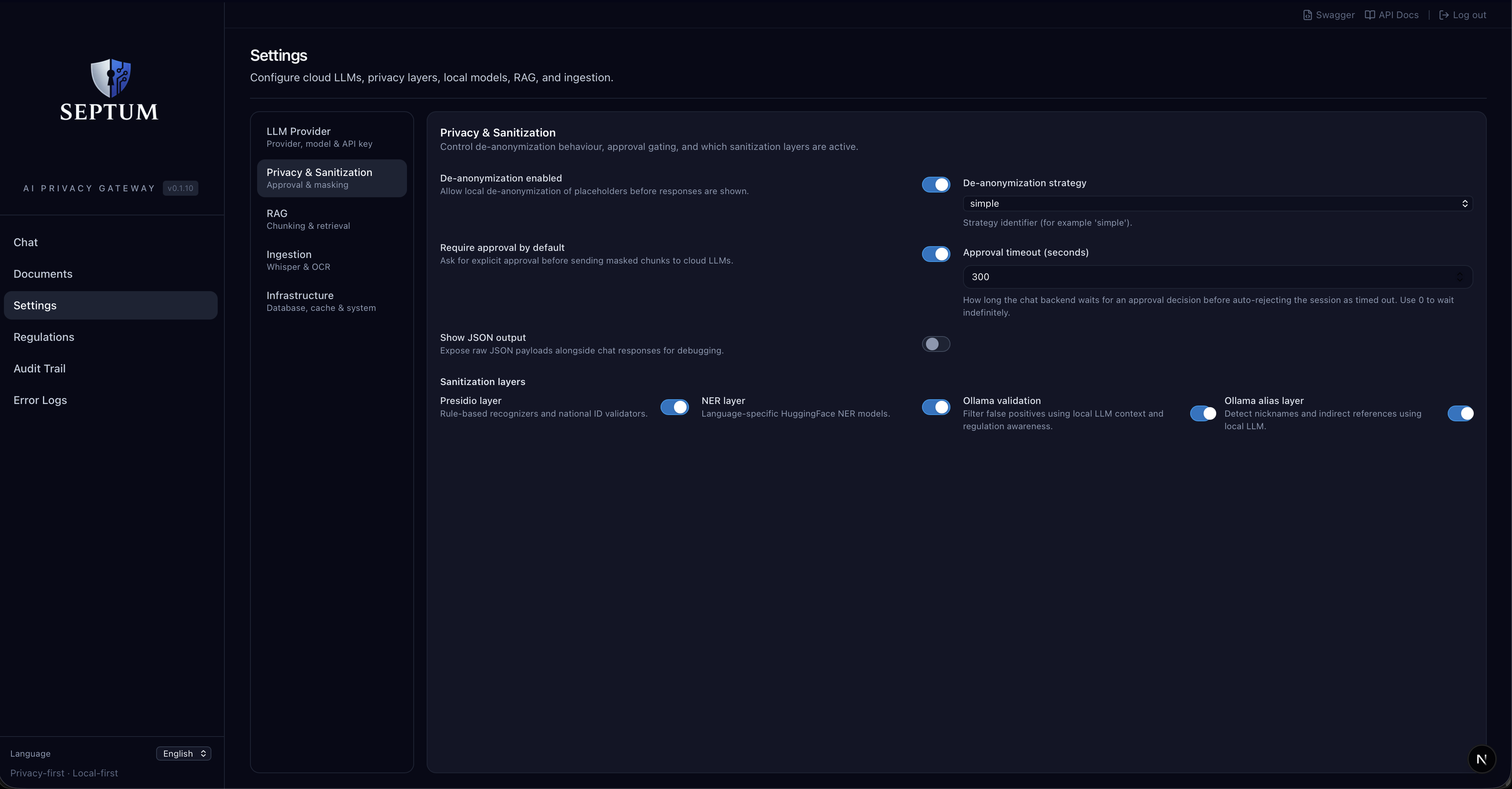 |
RAG & Hybrid Retrieval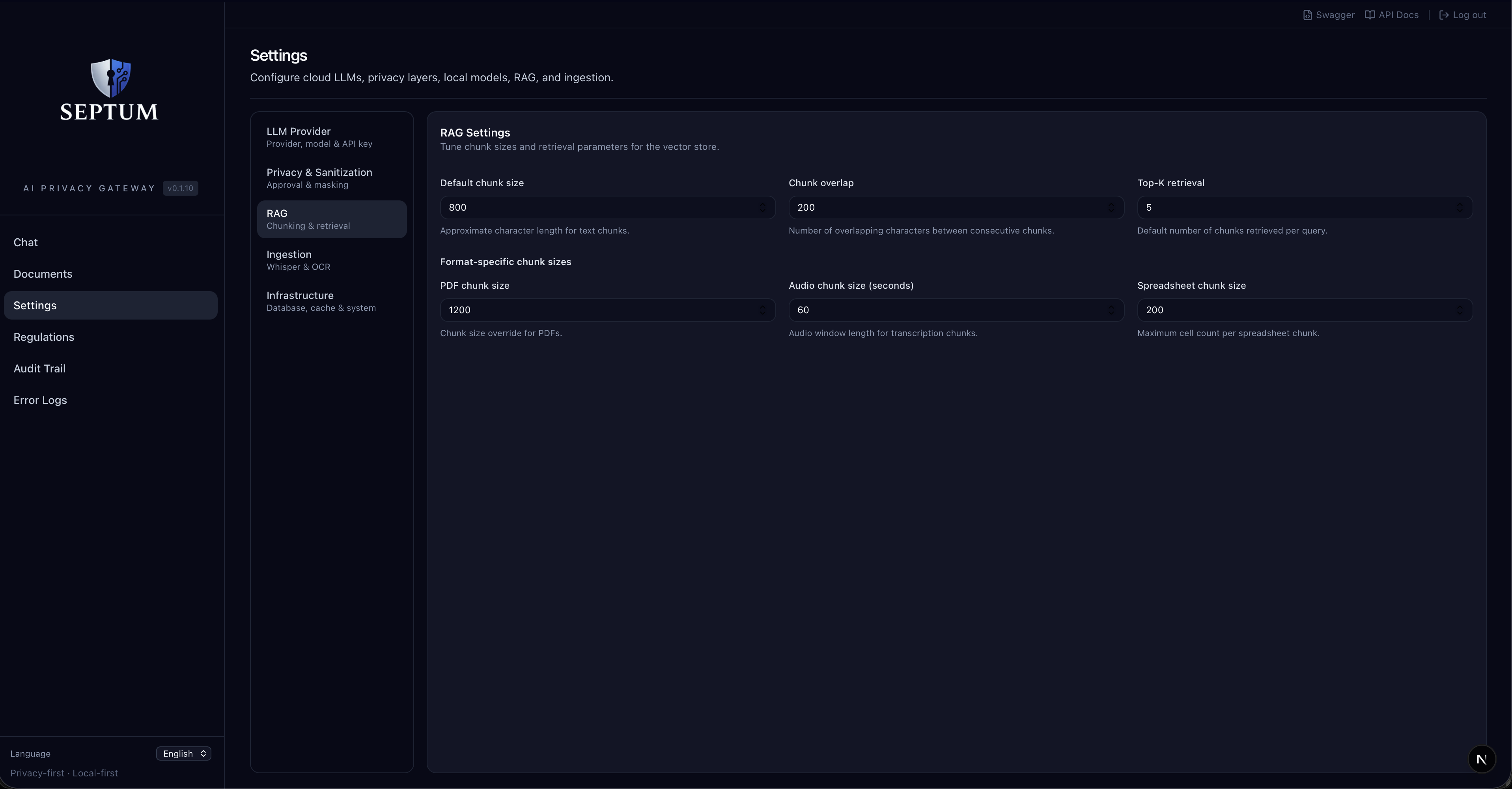 | Document Ingestion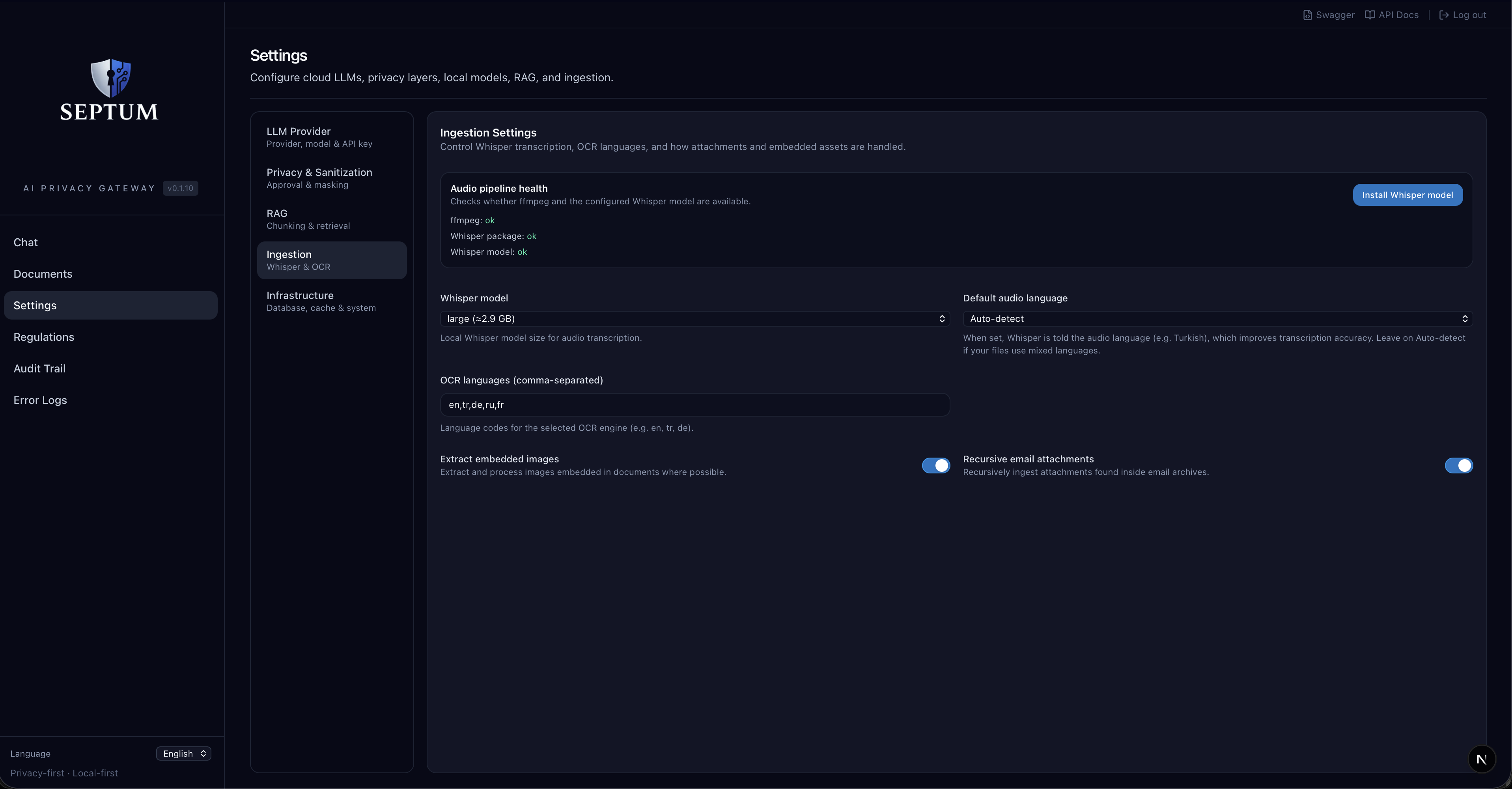 |
Infrastructure — database, cache, LLM gateway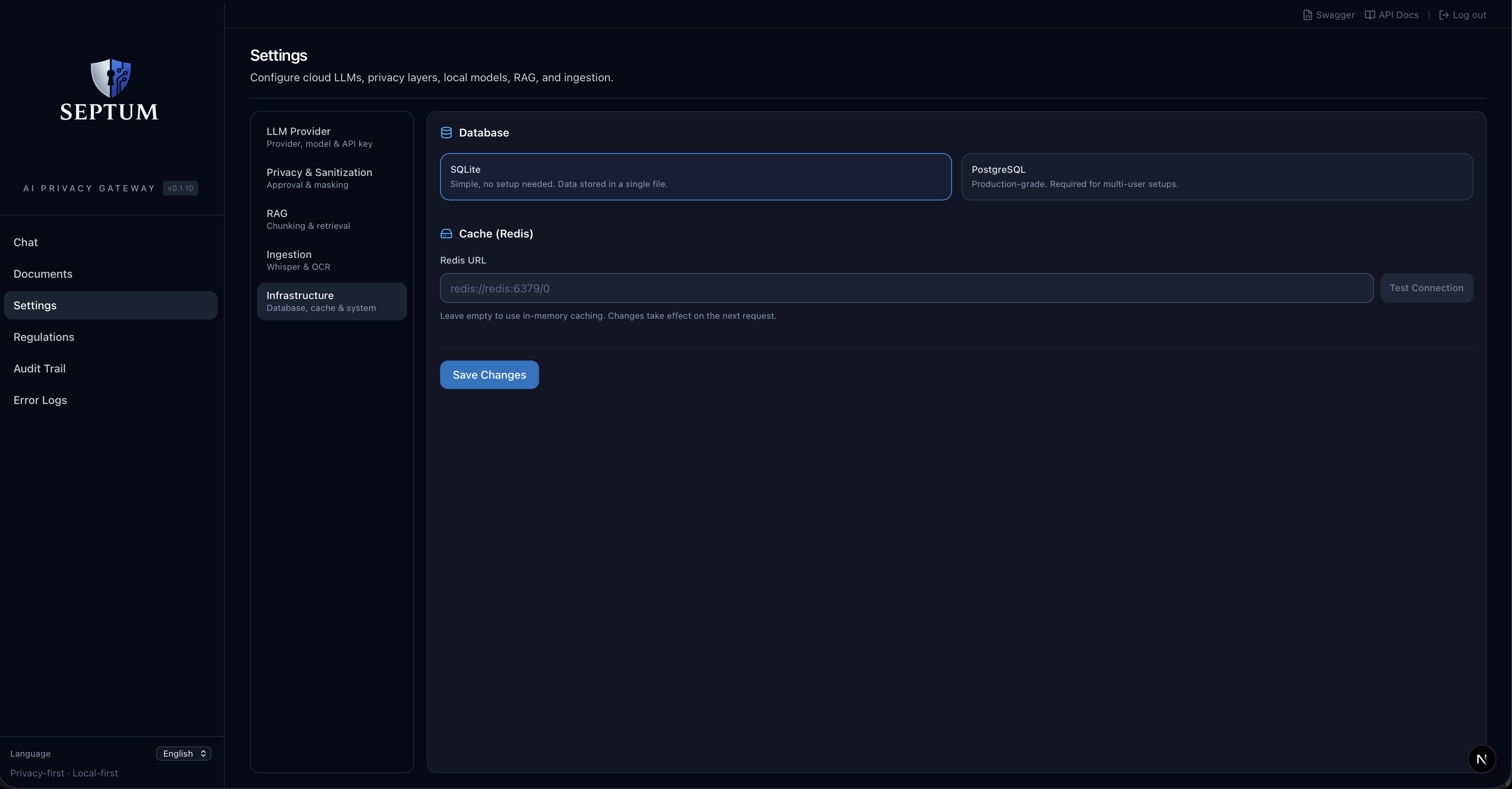 | |
Custom Regulation Rules
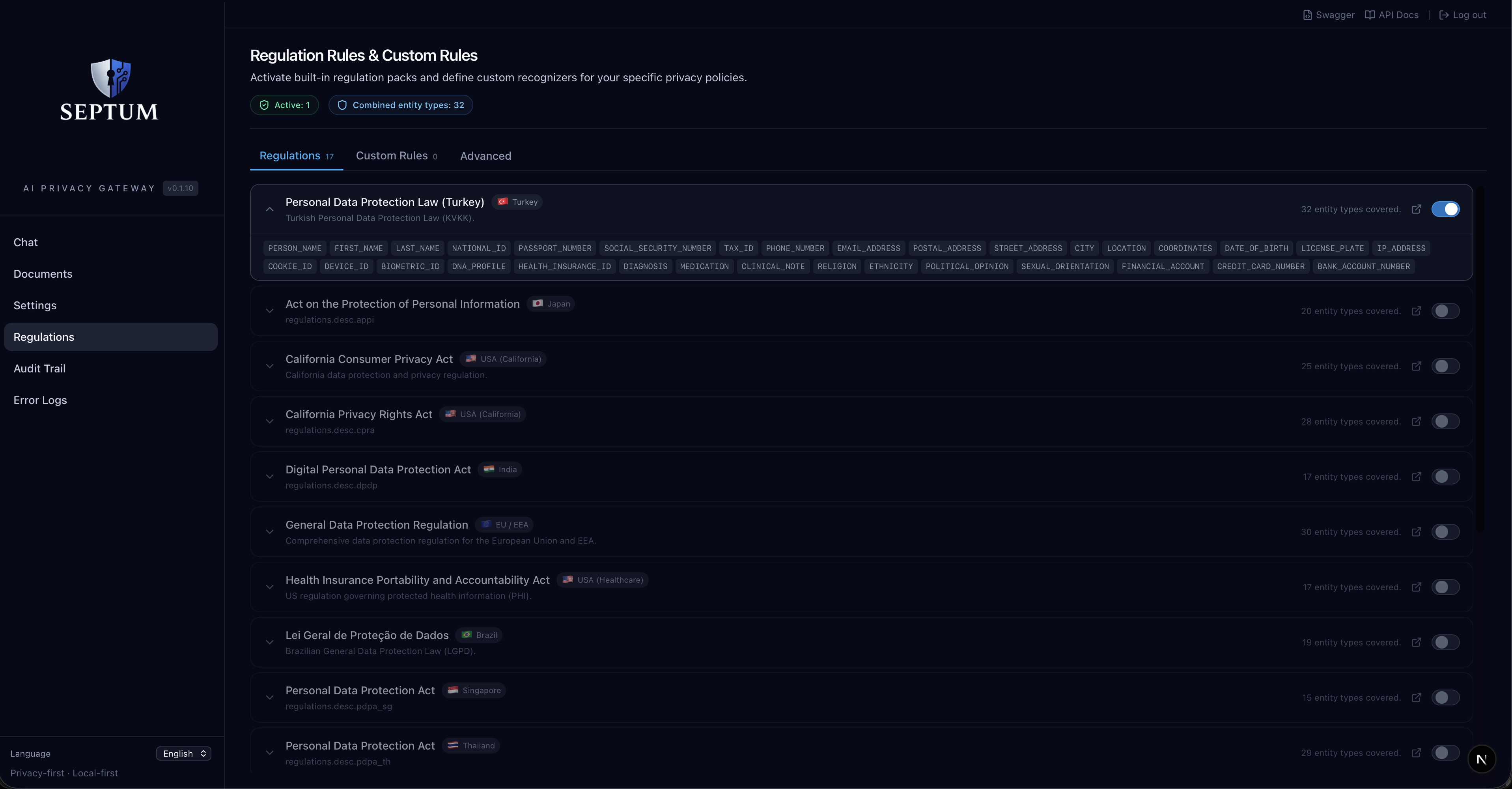
Define your own detectors alongside the 17 built-in packs. Three methods: regex patterns, keyword lists, or LLM-prompt based detection. Policy composition rules still apply — the most restrictive rule wins.
Audit Trail
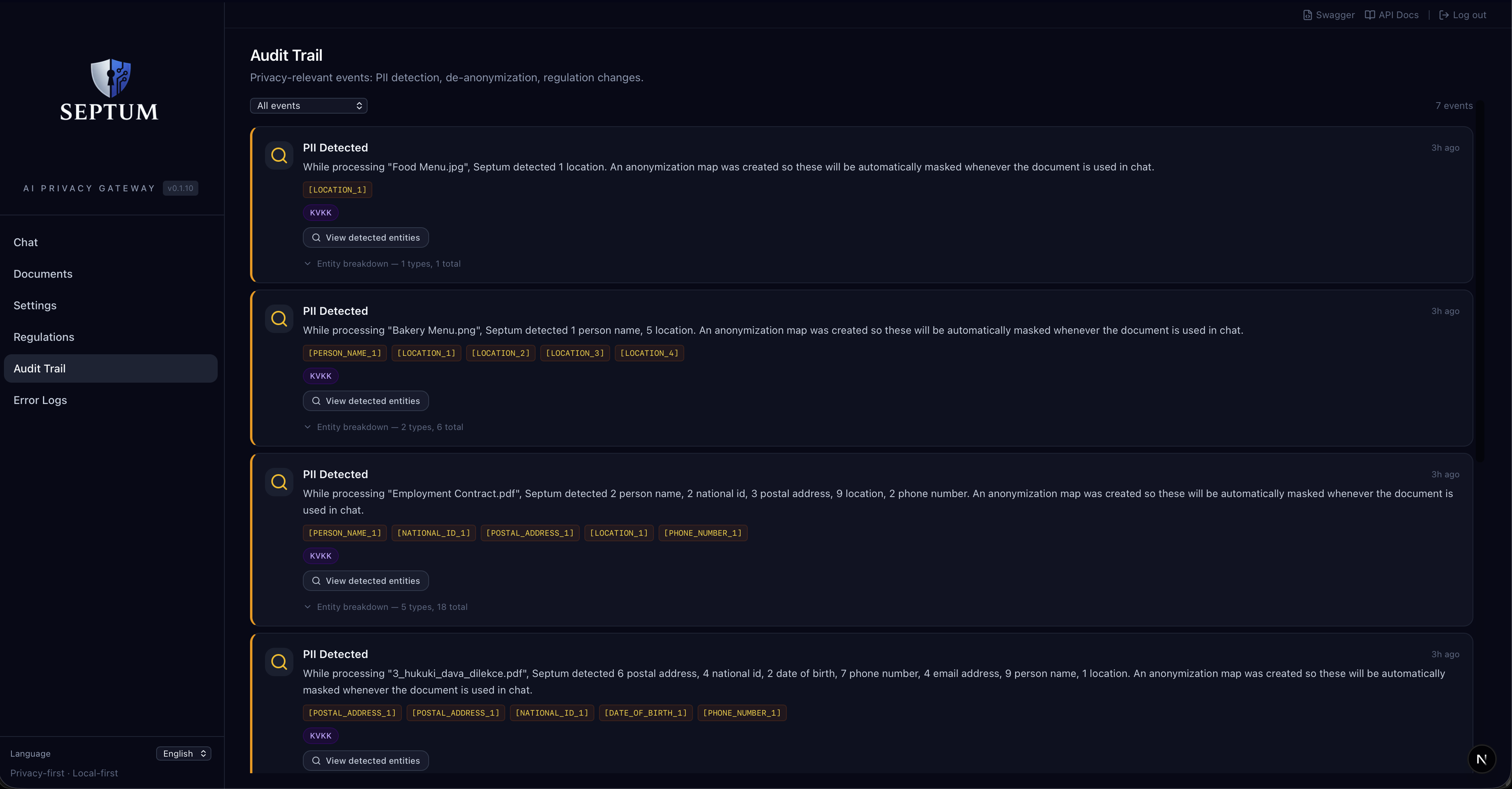
Append-only compliance log with entity detection metrics. No raw PII in audit events — only entity types, counts, regulation ids, and timestamps. JSON / CSV / Splunk HEC export available via /api/audit/export.